
.svg)





.avif)

Most marketing and BD teams at law firms spend a surprising amount of time on list maintenance: updating segments when a contact changes location or practice area; chasing down stale data that made it into a campaign; and standardizing prospect data. These are small tasks individually, but they add up to hours of work that could be spent on strategy, outreach, or client engagement.
Our April release helps with this, giving you more control over your campaigns and lists. Here’s what’s new:
Visual refresh
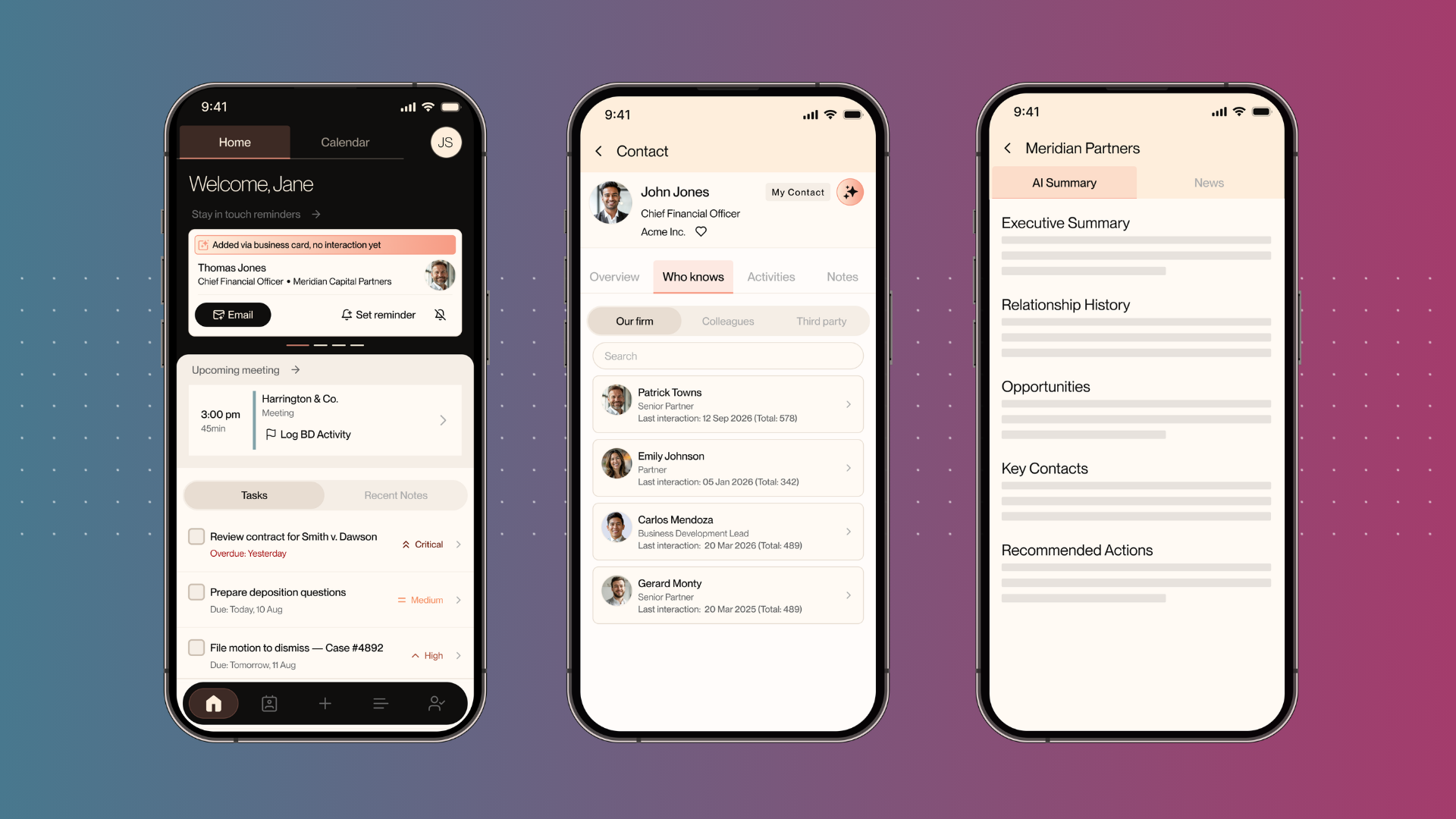
Nexl is now cleaner, more modern, and consistent with our new website and branding. You'll see updated colors, fonts, and a refreshed interface, while navigation, data, and day-to-day work stay exactly the same.
Campaign and list governance
Marketing teams can now standardize brand and legal content in campaign templates, giving editors the freedom to work within clearly defined guardrails without the risk of breaking layouts or changing restricted content.
There are four distinct permission types:
- Create campaigns
- Edit campaigns
- Lock rows (layout and structure)
- Lock modules (content inside rows)
Content locked at the template level, including legal footers and brand elements, carries through automatically into every new campaign built from that template.
Self-serve admin controls
Marketing Preference Manager
Admins can now create, manage, and archive marketing preferences directly in settings, without needing to contact Nexl support. Changes take effect immediately, so if your firm launches a new practice group newsletter or event series, the subscription option can be live in minutes.
Admins can:
- Create new fields
- Choose field types
- Set display positions
- Manage option choices
- Archive preferences no longer in use
Each select or multi-select option automatically generates a linked Preference List that stays in sync as contacts opt in or out, and admins can view list membership directly from the preference settings.
Opportunities updates
Admins now have full self-service control over the Opportunity interface, meaning pipeline configuration can be customized to suit your firm’s unique needs and processes.
Fields can be created, edited, reordered, and deleted directly in the web app. Custom statuses can be added and managed to reflect your firm's real pipeline stages, and required fields can be enforced at the firm level so the data flowing into your reports stays consistent. The Outlook add-in respects these configurations too, including field ordering and required field rules, so the experience is consistent whether lawyers are working in Nexl or Outlook.
Dynamic marketing lists
You can now buil ddynamic marketing lists that maintain themselves, meaning fewer targeting mistakes and less time spent on manual upkeep before every send.
Create a dynamic list by setting criteria based on geography, practice area, or any other field in the CRM, and the list updates automatically as the underlying data changes. When a contact's status or location is updated, every related list across the firm reflects that straight away.
New Preference Lists automatically maintain lists based on each contact's specific opt-ins. If a contact subscribes to your practice newsletter, they appear on the right list without anyone adding them manually.
Platform updates
List and data management
Firms working with large datasets have more flexibility in how they view and manage their data:
- Board, Calendar, and Timeline views are now available in Large List mode across all list types
- Key Activities lists now have Board and Calendar views
- Filtering, searching, and live status counts on Board views are available throughout the platform
Bulk actions make large-scale updates significantly faster. Users can now update Contact and Opportunity custom fields directly from All Contacts and All Opportunities views. When updating multi-select fields, there are four options: add to existing values, replace them, remove specific options, or clear all.
Task updates
Projects no longer stall when a team member is out of the office or moves to a different role. Any workspace member can now edit or complete tasks, regardless of whether they created or were assigned to them.
Key activities
Teams now have more flexibility in how they log and track relationship interactions. Key activities support flexible participant selection, meaning activities can be scoped to companies, contacts, or both. This enables company-only and internal team member-only key activities, covering scenarios that weren't possible before.
Phone field enhancements
Lawyers and BD professionals now have clearer context when deciding how to reach a contact, with phone numbers structured into labeled categories including Mobile, Home, Company Direct, Assistant, and Toll Free.
One-click calling lets users trigger a call via their browser or Microsoft Teams directly from a contact profile. For firms using Outlook sync, phone types map automatically to the corresponding Outlook fields during sync, and the same labels appear consistently across contact details, company contacts tables, and the Outlook add-in.
Available now
All updates in the April release are live. Speak with your account team to learn how to get the most from these updates at your firm.
Ready to transform your firm's growth?
%20(1).avif)
%20(1).png)
%20(1)%20(1).png)
.svg)

%20(1).avif)