
.svg)





.avif)

More than 80% of law firms have a CRM, but only 20% rate it as effective across marketing and BD functions. Fewer than 40% lawyers use it at all, and of those, only ~25% use it regularly for pipeline management. The investment is there, but adoption tells a different story. For most firms, the gap comes down to how the system is deployed, configured, and reinforced after implementation. Fortunately, the mistakes that lead to this gap tend to be the same across firms of all sizes, and they're fixable. This article covers seven of the most common, and what to do about each one.
Why CRM adoption matters
Client expectations have shifted. Clients expect their law firm to know who they are, remember what's been discussed, and stay in touch without being prompted.
Your lawyers are your best source of relationship intelligence. They spend every day in conversations with clients and prospects, and a CRM that captures those interactions gives your BD and marketing team something to work with. When it goes unused, that intelligence stays locked in individual inboxes and never reaches the people who need it. The knock-on effect is significant. Expansion opportunities remain untracked, relationships stay invisible until it's too late to act on them, and client retention becomes harder to manage proactively.
Common CRM adoption mistakes
Mistake 1: Too much manual data entry required
A lawyer closes a deal or has an important client conversation. The CRM requires them to open a separate window, find the contact, log the interaction, and add notes. They tell themselves they'll do it later, and often they don't.
Why it happens
Traditional CRM systems were built for sales teams with dedicated time to manage them. Lawyers' main priority is client work, so manual data entry creates friction they'll find ways around.
The fix
Your CRM should connect directly to the tools lawyers already use. Email integrations can automatically log inbound and outbound messages, and calendar integrations can surface relationship context before a call starts. The system should work in the background, so lawyers don't have to think about it.
What good looks like
A lawyer receives an email from a client. Within minutes, the CRM has automatically logged the message, updated the relationship timeline, and flagged any associated matters.
Mistake 2: No visible value for lawyers
Lawyers often perceive CRMs as a marketing/BD tool. When the personal value isn’t clear, they won’t be motivated to use the system.
Why it happens
CRM rollouts tend to emphasize reporting and forecasting rather than practical value for the people doing the work. The system gets presented as a compliance requirement, and lawyers treat it accordingly.
The fix
Surface features that solve problems lawyers face every day:
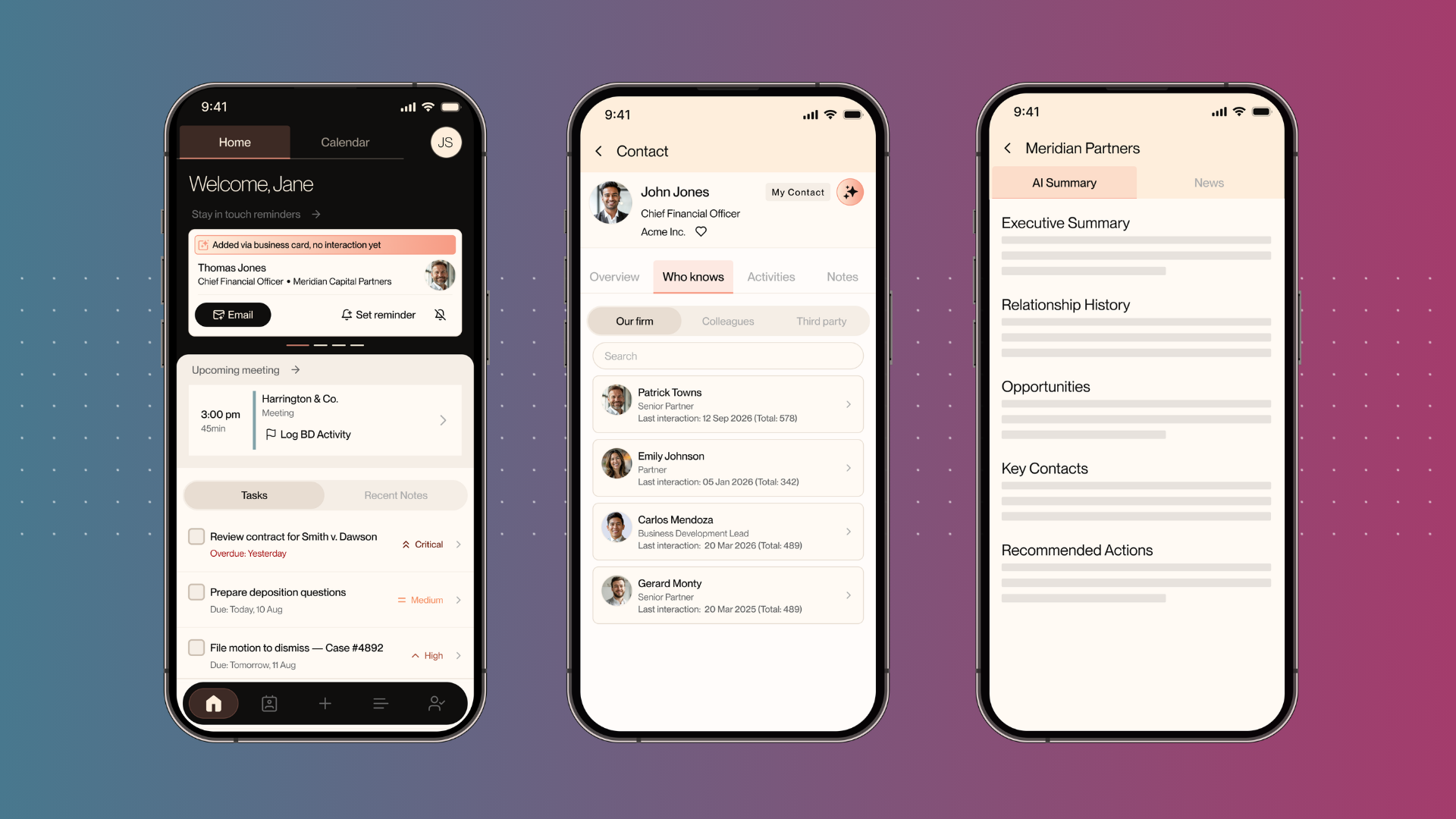
- A relationship map can show who across the firm knows a prospect before you pitch new work
- Meeting prep can pull relevant notes and matter history
- Automated prompts can help lawyers follow up with the right contacts at the right time
What good looks like
A lawyer is preparing for lunch with a prospect. They open the CRM and see the full relationship history, who else in the firm knows this person, and what the last few conversations covered. Context that once took twenty minutes to gather is available in seconds.
Mistake 3: Complexity and poor UX
Legacy CRM systems have decades of features layered on top of each other. A lawyer looking to log a simple phone call may face a form with fifteen fields, when only a handful are relevant to their work.
Why it happens
Enterprise CRMs are built for large sales organizations where standardization and process are central. Law firms work differently: relationships are the product and time is the constraint.
The fix
Use a CRM built for legal teams, with the fields and functions that lawyers and BD professionals need. The interface should feel natural to the way legal professionals work, so using it becomes habitual rather than effortful.
What good looks like
A lawyer opens the CRM to pull contact information before a call. They find what they need in seconds, without navigating through tabs or unnecessary fields.
Mistake 4: No leadership buy-in
If the managing partner isn't using the system, adoption will stay low. When partners treat their CRM as optional, it stays optional for the team. A clear business case can help you secure that support before the project starts. Download our free legal tech business case template to help.
Why it happens
CRM implementation often gets framed as a marketing initiative, so partners treat it as a marketing tool. Without a clear mandate from leadership and visible engagement data, the system stays on the periphery of the business.
The fix
Secure explicit leadership endorsement before implementation begins. Then make partner engagement visible. Report on which partners are actively using the system, how many contacts they've developed, and what that means for pipeline visibility across the firm.
What good looks like
At partnership meetings, reports show which partners have the most developed contact networks. The partnership treats CRM usage as an important business metric.
Mistake 5: Bad contact data from day one
You import thousands of contacts from old spreadsheets and legacy systems. Many have duplicate email addresses, inconsistent job titles, or missing details. Confidence in the data drops quickly, and the system loses credibility before it's had a chance to prove itself.
Why it happens
Legacy data is almost always messy. Many firms do a basic deduplication pass at import and move on, then spend years managing the consequences.
The fix
Use automated enrichment at the point of import, with continuous cleanup from there. When legacy data comes in, the CRM should standardize formatting, identify duplicates, and fill in missing fields. Ongoing enrichment keeps the data current as contacts change roles and firms.
What good looks like
You import 50,000 legacy contacts. Within a week, duplicates are merged, titles are standardized, and gaps are filled in. Lawyers open the system with confidence that the data is accurate.
Mistake 6: No clear ownership
CRM projects without a champion drift. One person drives the initiative, then moves on, and suddenly no one is accountable for adoption. Usage flatlines and the project becomes a sunk cost.
Why it happens
Firms often treat CRM as a technology implementation rather than a change management initiative. Once the system is live, it's easy to assume the hard work is done. In practice, that's just beginning.
The fix
Assign a dedicated owner, usually a BD professional or senior marketing leader with the credibility to influence behavior across the firm. Give them reporting access and hold them accountable for usage metrics. Their job is to surface value and keep engagement moving.
What good looks like
One person in the firm owns CRM adoption. They track usage by practice group, run regular sessions with lawyers, and show the partnership what the data is revealing. Over time, they become the internal advocate who keeps the system alive.
Mistake 7: Training without reinforcement
You run a once-off two-hour training session for the firm. A week later, most of the lawyers can't remember how to log in.
Why it happens
One-off training doesn't build habits. People need reminders and reinforcement that show up at the right moment in the tools they're already using.
The fix
Replace a single training event with role-specific onboarding, so a partner gets a different experience from an associate. Build prompts into the tools lawyers use every day, such as an Outlook add-in that surfaces relationship context before sending an email. Reinforce usage through regular tips and monthly wins shared across the firm.
What good looks like
A lawyer sits down to draft an email to a prospective client. The Outlook add-in surfaces the conversation history and relationship timeline automatically. The right context appears at the right moment, without the lawyer having to go looking for it.
What good adoption looks like
There are three metrics you should track to get a clear picture of how well your CRM is being used:
- Engagement rate (the percentage of lawyers who logged in and took an action this month). Benchmark for healthy adoption: 60%
- Contacts captured per lawyer. Benchmark for healthy adoption: 2-5 per lawyer per month
- Stay-in-touch completion (how many automatic follow-up prompts get acted on) Benchmark for healthy adoption: 40%+
The impact of an effective CRM implementation process will show up across your business beyond significant adoption metrics. Firms with mature CRM programs tend to see stronger client retention, more new business from existing relationships, and earlier visibility into expansion opportunities.
Ready to transform your firm's growth?
%20(1).avif)
%20(1).png)
%20(1)%20(1).png)
.svg)

%20(1).avif)